
Still Doing Shift Passdowns in Excel? Here's What You're Missing
Running shift passdowns in Excel? See what a spreadsheet passdown misses, from locked files to copy-forward notes, and a simpler way for the next shift.
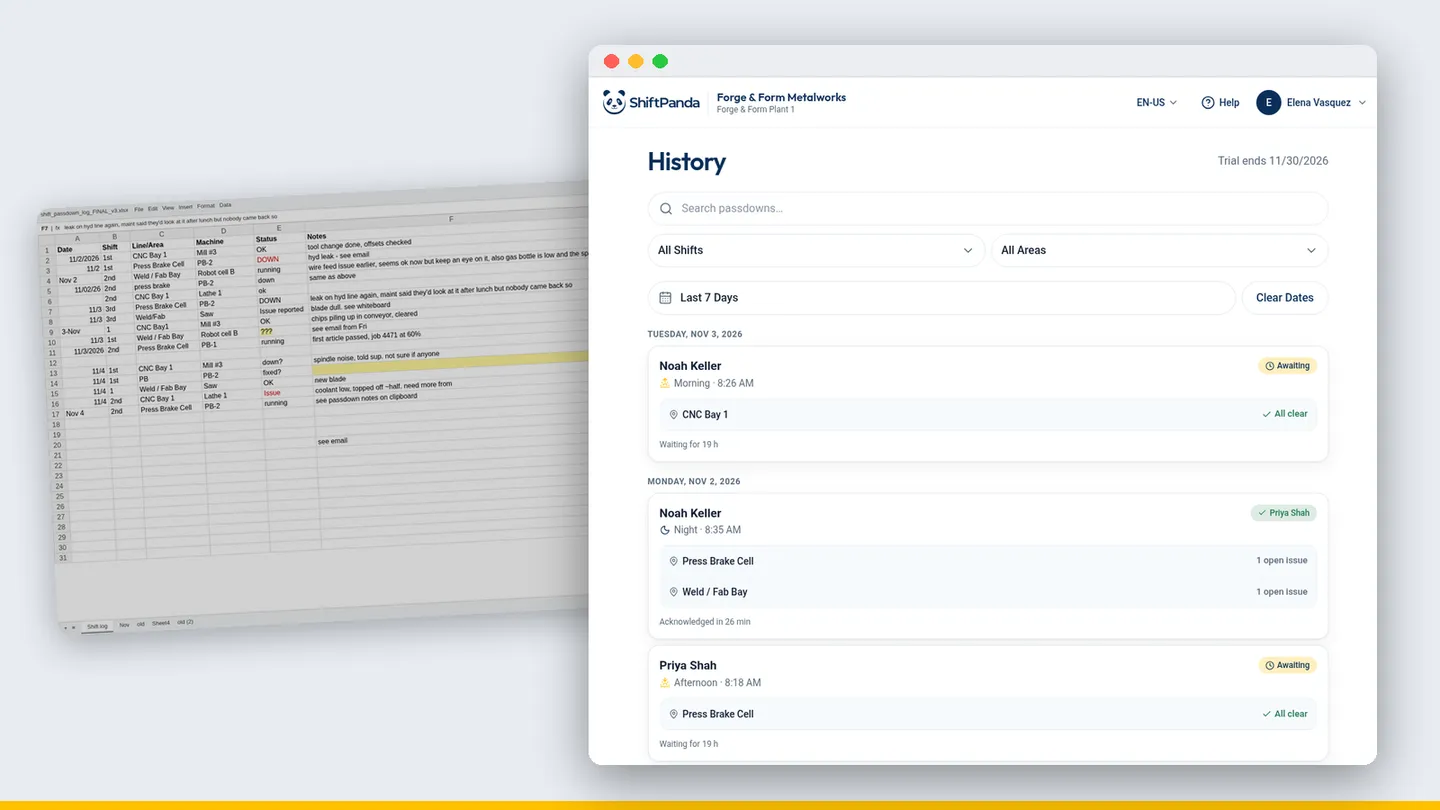
It's 5:58 AM. You walk off the floor to the office PC, open the shift passdown file, and get a message saying it's locked for editing. Someone on nights left it open. You find a copy on the shared drive called passdown_FINAL_v2, but you're not sure it's the latest one. Your crew is already at the machines.
If that sounds familiar, you're not alone. Plenty of plants run their shift passdown (some call it a shift handover) on a spreadsheet. It's better than nothing, and often better than paper. But a passdown isn't really a spreadsheet job, and the gaps show up right at shift change, when the incoming supervisor needs answers fastest.
Why so many plants run shift passdowns on Excel
It makes sense. Excel is already on every office computer, it costs nothing extra, and somebody built a template years ago that mostly works. You can add a column when you need one. Nobody has to approve a new tool.
The trouble is that the template only works as well as the last person who filled it in, and it lives in the office, not on the floor where the shift actually happens.
What an Excel shift passdown misses
Nobody knows who read it. You can save the file, email it, or print it, but there's no simple way to see whether the incoming shift actually read the passdown. "I never got that" is hard to argue with.
It lives at a desk, not at the machine. Most supervisors write the spreadsheet at the end of the shift, from memory, at an office PC. The details you noticed at Press 4 at 2 AM have to survive until then.
Nothing makes you cover every machine. A spreadsheet only has the rows you remember to fill. Blank cells, skipped lines and "same as yesterday" all look the same to the next shift.
Mid-shift issues get typed twice, or not at all. If you logged a problem during the shift somewhere else, you have to retype it into the passdown. At 5:50 AM, some of those don't make it.
Last week is a tab somewhere. When someone asks what happened on nights Tuesday, you're scrolling through tabs or opening old files one by one.
The risks of running your shift passdown on a spreadsheet
The gaps above make the incoming shift slower. These are the ones that can actually bite you:
- Version mix-ups. Locked files, copies on the desktop, attachments in email. Two supervisors can work from two different versions of the same shift and never know it.
- Overwrites and deletions. One bad paste or a sorted column, and last night's notes are gone or attached to the wrong machine. It's hard to tell who changed what, or when.
- Copy-forward notes. It's tempting to copy yesterday's rows and edit them. Then a machine that was fixed two days ago still shows as down, or one that broke last night looks fine.
- The spreadsheet expert. Every plant has the one person who understands the formulas and the macros. When they move shifts or retire, the template slowly stops working.
- A floor that has to stop to read it. If the incoming lead has to walk to the office to read the passdown, they spend their first ten minutes at a desk instead of on the floor.
Whatever your plant calls it, the point is the same: the next shift needs the truth about every machine, quickly, and it needs to know it's current.
What a shift passdown tool does instead
This is the job ShiftPanda was built for, and it's all it does. Here's how it covers the gaps above:
- Set up your areas and machines once. Every shift passdown follows that same structure, so no line gets skipped.
- Go machine by machine. Set each one to Running or Idle and add a note where it matters. It's about a minute for a simple passdown, under two for a full one.
- Mid-shift issues are already in. Log an issue during the shift by area and machine, and it goes on the Open Issues list and carries over onto the next passdown, instead of waiting to be retyped into the end-of-shift spreadsheet.
- Know it landed. Every passdown shows who has read it and who acknowledged it, by name.
- Find last Tuesday in seconds. Search History by shift, area and date, instead of scrolling through tabs.
- Built for the floor. It runs in the browser on a phone or tablet, with nothing to install. Lose Wi-Fi mid-passdown and what you've typed is still there when you're back.
- Bring your whole crew in. Invite your team with a role: Admin, Shift Supervisor or Crew.
ShiftPanda doesn't replace your MES or your maintenance system. It sits alongside them and handles the one thing a spreadsheet was never built for: the shift passdown.
How to move your shift passdown off Excel without a big project
You don't need to rip anything out on day one.
- Start with one area. Set up its machines in ShiftPanda and keep the spreadsheet running alongside for now.
- Run it with your crew for a couple of weeks. Write the passdown at the machines and have the next shift's supervisor acknowledge it.
- Compare. Ask your incoming leads which passdown they'd rather start the shift with.
- Bring the results to your plant manager. Show them real passdowns from your own floor, not a sales deck.
Be ready for the next shift tonight.
ShiftPanda turns the end of a shift into a two-minute handover your next crew actually reads.
30 days free · $9 per user per month after